

The Ultimate Guide to Project Management Tools for Bootstrapping Founders (2026 Edition)
If you’re building a business on a budget, wearing every hat, and trying to do the work of five people before breakfast… you’re not alone.
Most bootstrapping founders don’t start with a team. It’s just you, your laptop, endless ideas, and a to-do list that somehow grows faster than your revenue.
And maybe you’ve tried using “fancy tools” everyone recommends, but they felt overwhelming, too expensive, or just… not built for someone running lean.
You want systems. You want order.
But you can’t afford a full tech team.
You can’t waste time learning complicated software.
And you definitely can’t manage your business using 12 different apps that don’t talk to each other.
What you really need is a simple, affordable, founder-friendly setup that helps you stay organized without adding stress or cost.
That’s exactly what this guide was created to help you do.
In this pillar page, you’ll discover the best free and budget-friendly project management tools for founders who are bootstrapping their businesses, tools that actually make sense for where you are, what you’re building, and how you operate.
By the end, you’ll know:
- Which tools help you stay organized without overwhelm
- Which ones are worth paying for (only when you’re ready)
- How to choose the right tool based on your business model
- How to build a “lean tech stack” that saves you time, money, and energy
And how a VA can help you set all these tools up, so you can focus on growing your business, not managing your systems.
Let’s get into it and build a business that runs smoother, even while you’re running lean..
Why Bootstrapping Founders Need the Right Tools (Even on a Budget)
Building a business from scratch with limited funds isn’t just challenging; it’s an emotional rollercoaster. One minute you’re excited about a new idea, the next you’re drowning in tasks you didn’t even know existed.
When you’re a bootstrapping founder, every decision counts. Every hour matters. Every dollar matters. And every tool you use can either simplify your business… or slow it down.
The truth is, most founders don’t struggle because they’re “not productive enough.”
They struggle because they’re trying to run an entire business using chaotic systems:
- scattered notes
- random docs
- never-ending WhatsApp/Slack messages
- dozens of tabs
- different apps for tiny tasks
- zero automation
- everything living in your head
When your tools are disorganised, your business appears disorganised.
When your systems are unclear, your next step feels unclear.
And when everything depends on you remembering it… burnout becomes inevitable.
That’s why having the right tools matters, especially when you're building lean.
Not expensive tools.
Not complicated tools.
Not “Silicon Valley startup” tools.
But founder-friendly tools that help you stay organized, focused, and in control without draining your budget or overwhelming your brain.
Because when you’re bootstrapping, the margin for error is small.
You can't afford inefficiency.
You can't afford to waste time.
And you definitely can’t afford a tool stack that works against you.
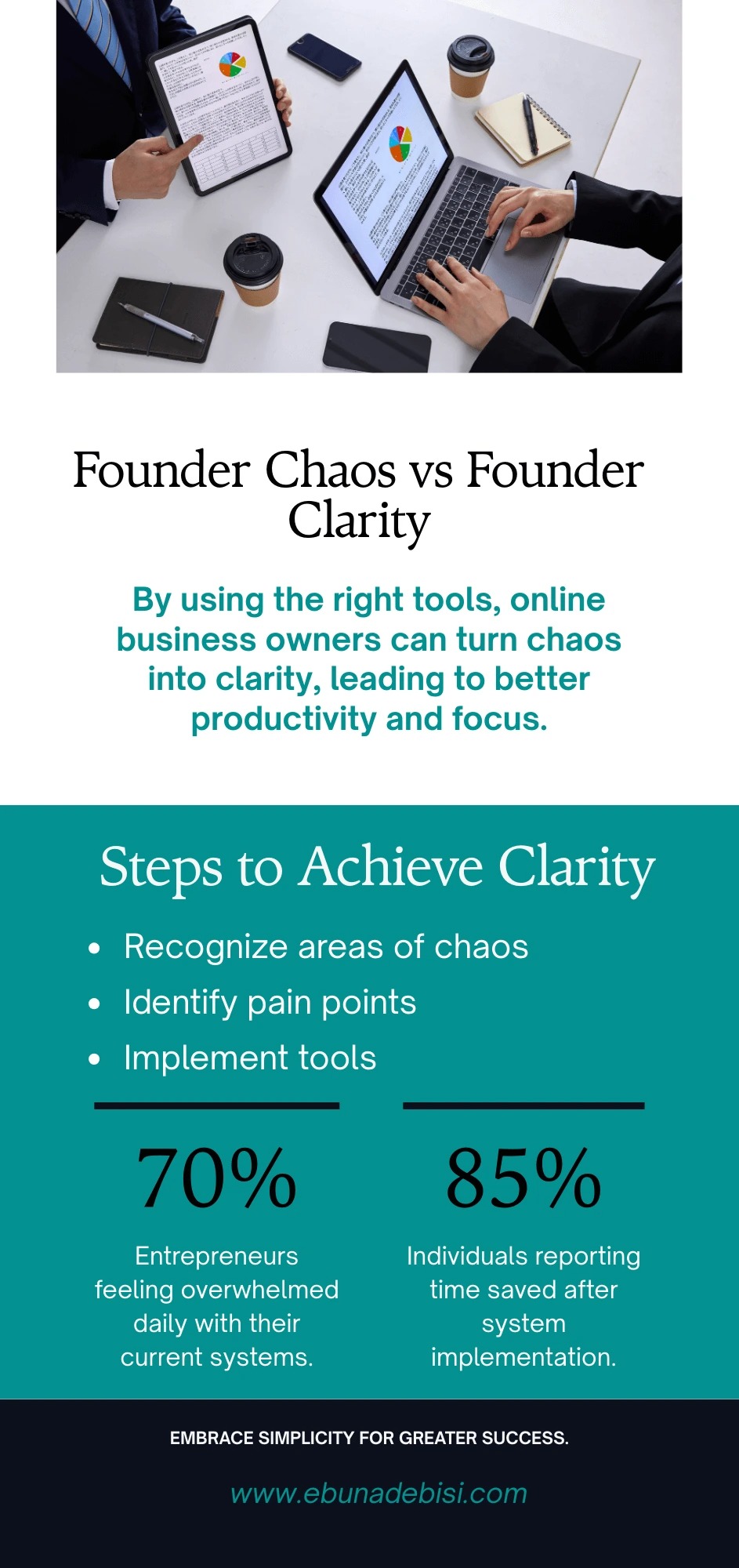
The right tools give you:
- Clarity — so you always know what needs to be done
- Consistency — so nothing slips through the cracks
- Capacity — so you can take on clients without chaos
- Confidence — so your business finally feels like it’s running smoothly
And the best part?
You don’t need expensive software to get all of this.
You just need a simple, intentional, lean setup that supports where you are, and where you’re growing.
In the next section, we’ll break down exactly what you should look for in a project management tool so you don’t waste time jumping from app to app hoping something “finally works.”
What to Look for in a Project Management Tool (Founder-Friendly Criteria)
Choosing a project management tool isn’t just about picking something “popular.”
For bootstrapping founders, it’s about choosing a tool that gives you clarity without complexity, support without cost, and structure without slowing you down.
Here’s the hard truth:
Most tools were built for large teams, substantial budgets, and full-time operations managers, not for solo founders who juggle marketing, sales, delivery, administration, and life simultaneously.
So before you pick a tool, ask yourself this question:
“Will this tool actually make my business easier, or will it become one more thing I need to manage?”
To help you choose wisely, here are the founder-friendly criteria to look for, especially when building lean.
Must-Have Features for Lean, Budget-Conscious Founders
1. Simple Setup (No Tech Degree Required)
If setting up a tool feels like building a spaceship, it’s not the right tool.
Founders need something you can set up today… not after hours of tutorials.
2. Clear Task Management
You should be able to track:
- What needs to be done
- When it needs to be done
- Who’s responsible
- What’s in progress
No complicated features required.
3. Workflow Visibility
You need a quick snapshot of your business:
- leads
- clients
- content
- projects
- deadlines
A good tool makes everything visible in one clean view.
4. Integrations with Other Tools
Your tool should talk to others, especially if you're using free automation tools like Zapier or Make.com.
5. Affordable (or Free) to Start
No founder needs a $99/month tool before revenue is consistent.
The right tools give you generous free plans and low-cost upgrades when you’re ready.
The goal is to avoid paying for features you’re not using, a common pitfall for founders.
Scalability: Choosing Tools That Grow With You
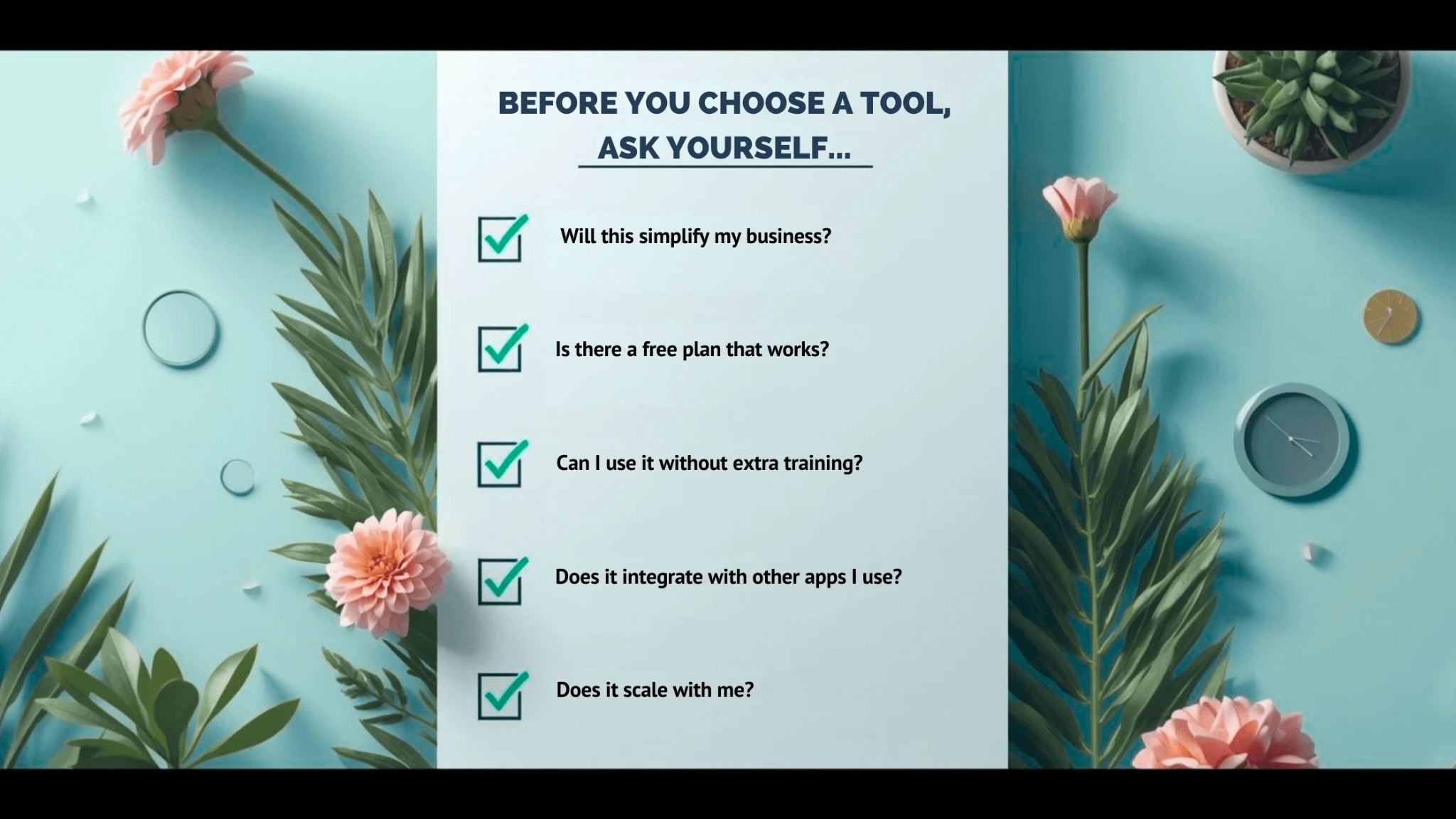
Your needs today are simple.
Your needs are likely to change within a year.
Choose tools that offer:
- an easy starting point
- clear upgrade paths
- optional advanced features
- integrations with other tools
- templates for when your business grows
The best tool is one that evolves alongside your business without forcing you to switch later.
Best Free Tools for Startups & Solopreneurs
Top Tools Stack for Founders on a Budget
When you're building a business with limited cash, limited time, and no real “team”… choosing the right project management tool becomes less about aesthetics and more about survival.
You need a tool that helps you:
- Keep track of clients without dropping balls.
- Organize your ideas so they don’t die inside random Google Docs.
- Plan content without spending your whole Sunday doing it.
- Manage contractors/freelancers without chaos or micromanagement.
But here’s the truth:
Not every tool works for every founder.
Some of us think visually (hello Kanban boards).
Some are structured and love lists and timelines.
Some people want a single tool that does everything, so they don’t have to open 20 tabs.
This section breaks down the best free tools by personality, workflow style, and business needs.
Task & Project Management Tools
1. Trello (Best for Visual Thinkers & Beginners)
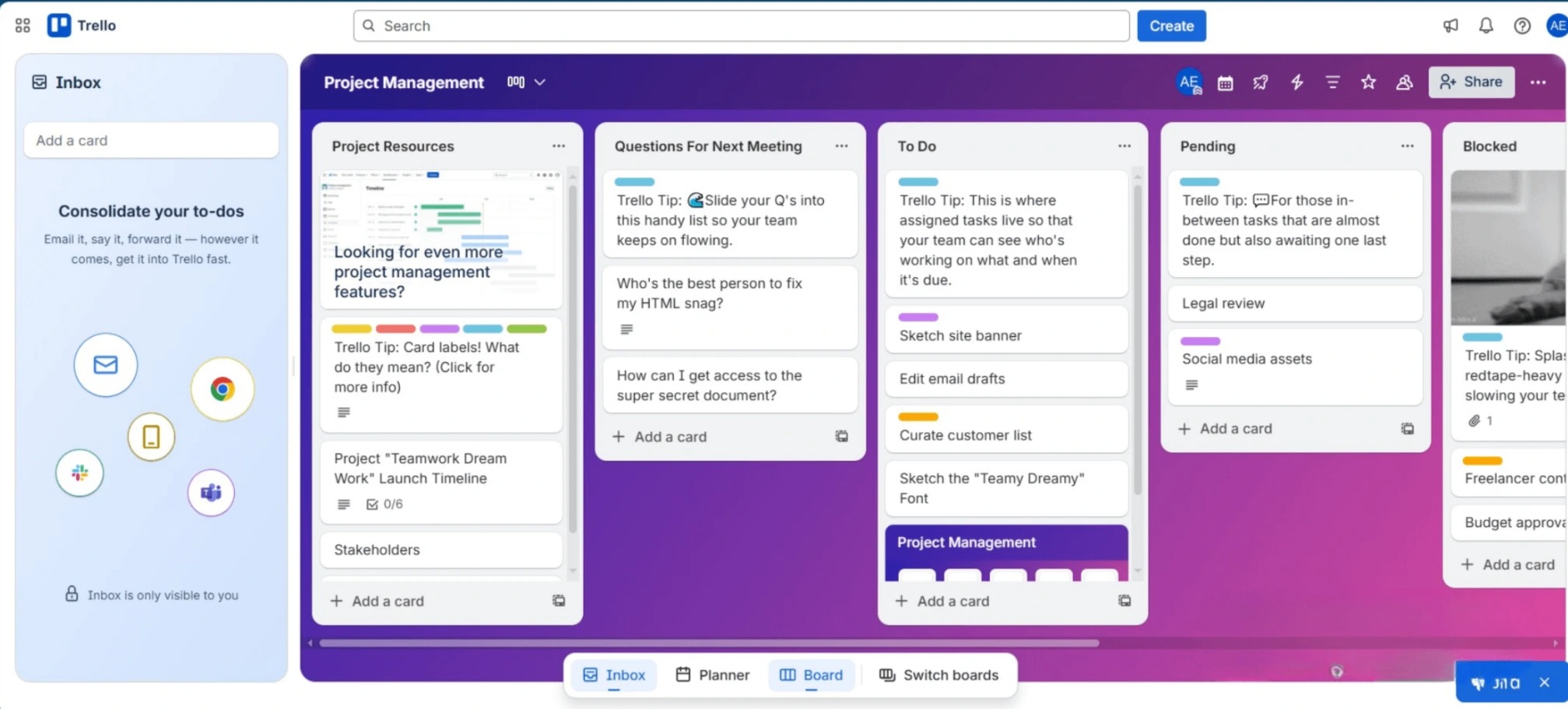
If you like things simple, visual, and easy to grasp at a glance, Trello might become your best friend. Trello utilises a Kanban board layout, featuring cards, lists, and drag-and-drop simplicity.
Why Founders Love It
- Free Kanban boards (unlimited)
- Incredibly beginner-friendly — no learning curve
- Great for content planning, weekly task views, and pipeline management
- Perfect for solo founders or very small teams
- Clean, calm interface that reduces overwhelm
Best Use Cases
- Content calendar
- Client project tracker
- Simple workflows (like onboarding steps)
- Brain-dumping + idea organization
1. Trello (Best for Visual Thinkers & Beginners)
2. Asana (Best for Structure & Team Collaboration)
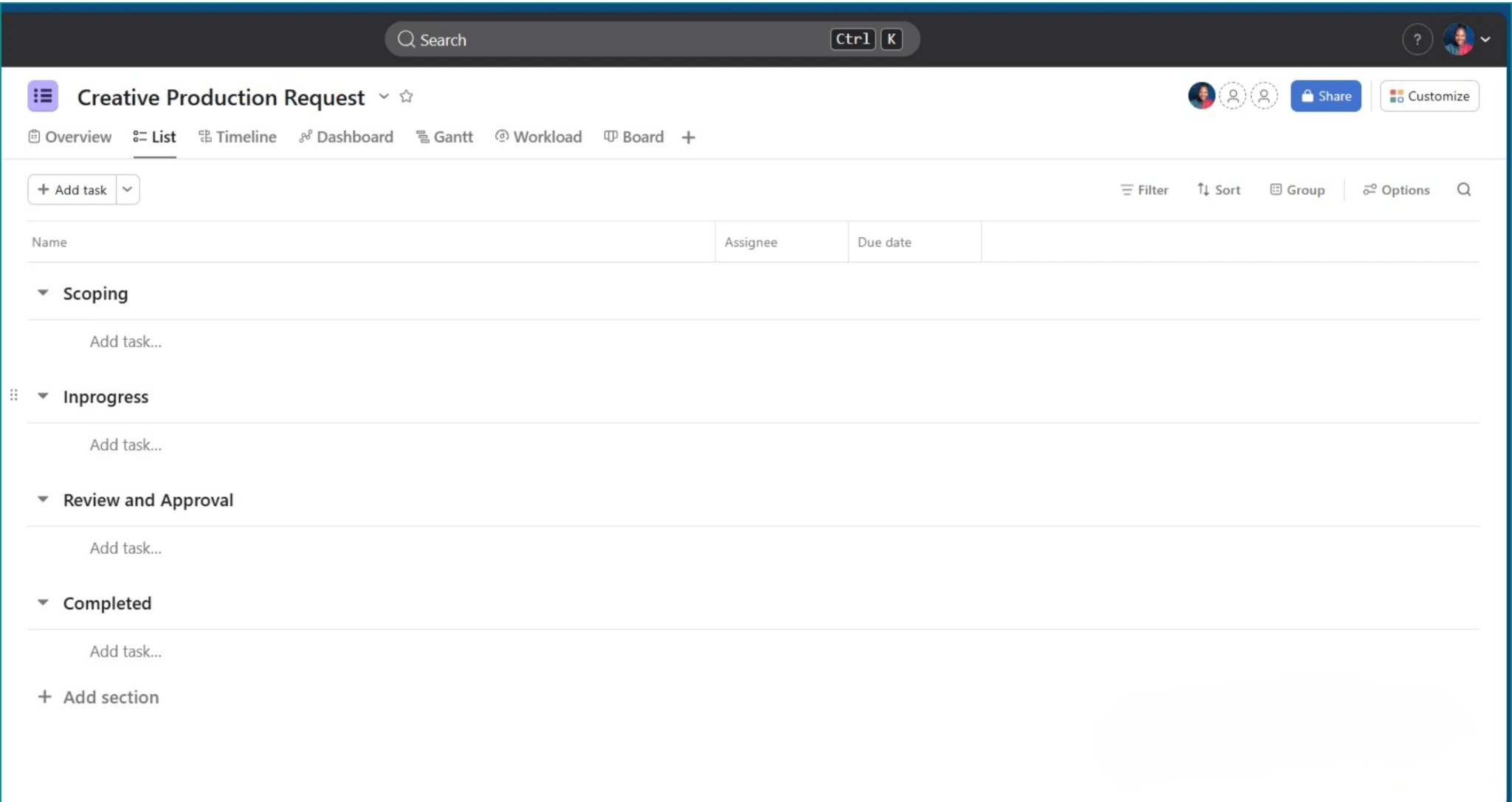
Asana is for you if you crave structure or you’re juggling multiple projects with freelancers/contractors. It’s clean, organized, and great for teams who need clarity.
Why Founders Love It
- Free tier includes unlimited tasks
- Easy to manage cross-functional projects
- Great for keeping everyone aligned
- Timeline and board views for clarity
- Integrates well with Slack, Drive, Zapier, and more
Best Use Cases
- Working with VAs, editors, designers, or contractors
- Multi-step client delivery
- Launch planning
- Managing several client accounts at once
3. ClickUp (Best All-In-One Free Platform)
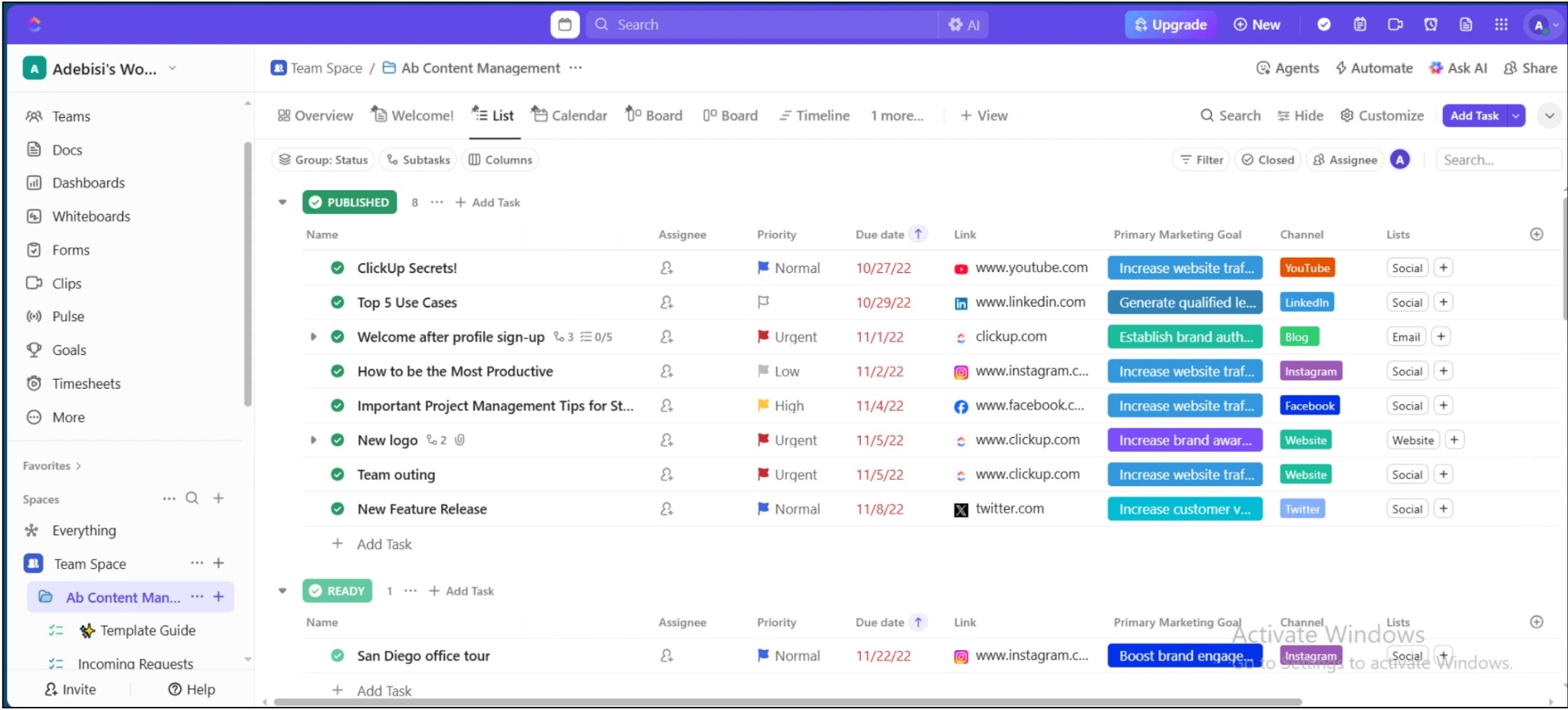
ClickUp is the “do everything” tool. Tasks, docs, dashboards, automations, calendars, goal tracking, all in one hub.
If you hate switching tools every 5 minutes, this is the one.
Why Founders Love It
- Extremely powerful even on the free plan
- Includes:
- Tasks
- Docs
- Calendar
- Automations
- Whiteboards
- Goals
- Tasks
- Works for both simple and advanced setups
- Perfect for founders who want ONE place for operations
Best Use Cases
- Agency operations
- All-in-one dashboards
- Client work management
- Detailed SOPs + task collaboration
- Launch and campaign tracking
4. Notion (Best for Systems & Knowledge Management)
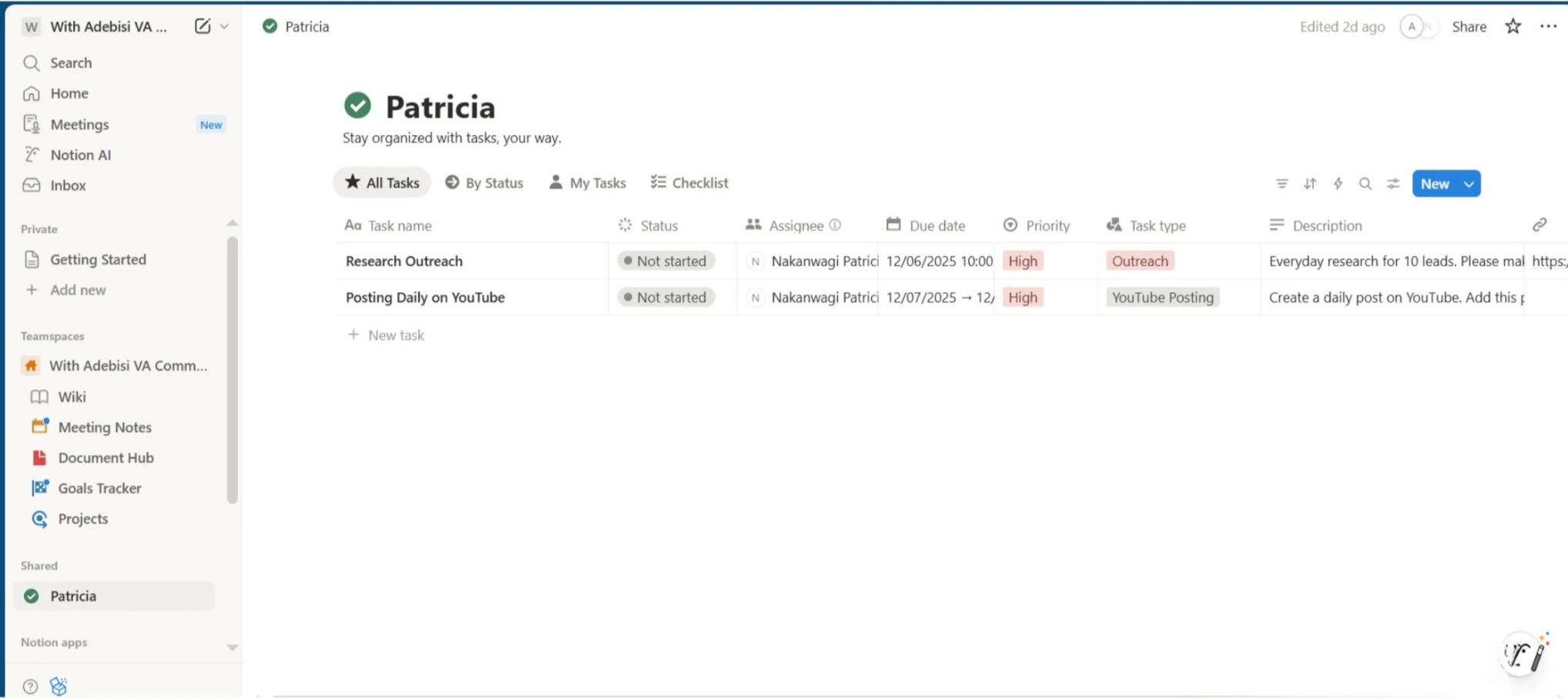
Notion is the tool you choose when you want more than tasks; you want a “second brain” for your business. It’s perfect for systems, docs, knowledge bases, and custom dashboards.
Why Founders Love It
- Infinite customization
- Templates for literally everything
- Great for SOPs
- Amazing for dashboards
- Flexible for personal + business use
- Great for documenting your business as it grows
Best Use Cases
- SOP + systems library
- Company wiki
- Notion dashboards for tracking tasks, content, and goals
- Client portals
Content hub + idea bank
5. Airtable (Best for Database-Lovers)
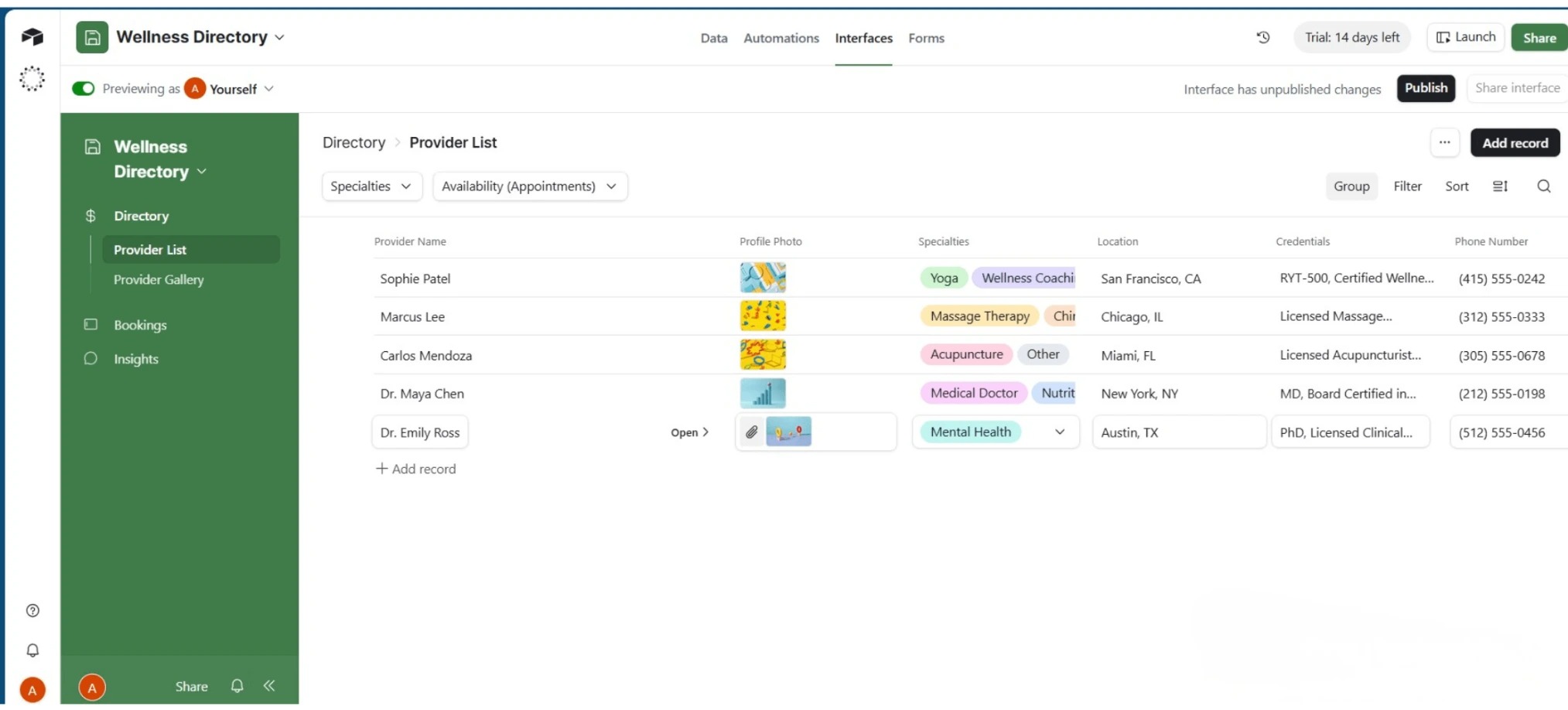
Airtable is ideal if you love structured data and need something more powerful than spreadsheets, yet more flexible than traditional project management tools.
Why Founders Love It
- Flexible spreadsheet + database hybrid
- Beautiful views: grid, calendar, kanban, gallery
- Great for workflows that use a lot of fields, tags, or custom data
- Automations even in the free plan
- Works amazingly for CRMs, content calendars, and complex workflows
Best Use Cases
- CRM for leads + clients
- Content calendar with tags, ideas, deadlines
- Product inventory for e-commerce
- Campaign/launch planning
- Complex workflows that need organization.
Communication & Collaboration Tools
Best Collaboration Tools for Lean Teams
When you're bootstrapping, communication can either make your life easier… or create more chaos than the work itself.
You don’t need a complicated “team comms system.”
You just need tools that help you:
- keep everyone aligned without endless back-and-forth
- share updates quickly
- reduce confusion and miscommunication
- avoid drowning in emails
- collaborate with VAs, freelancers, and clients smoothly
The tools below are the simplest, most affordable ways to keep your mini-team moving as if you actually have a whole operations department behind you.
1. Slack (Best for Fast, Organized Team Communication)
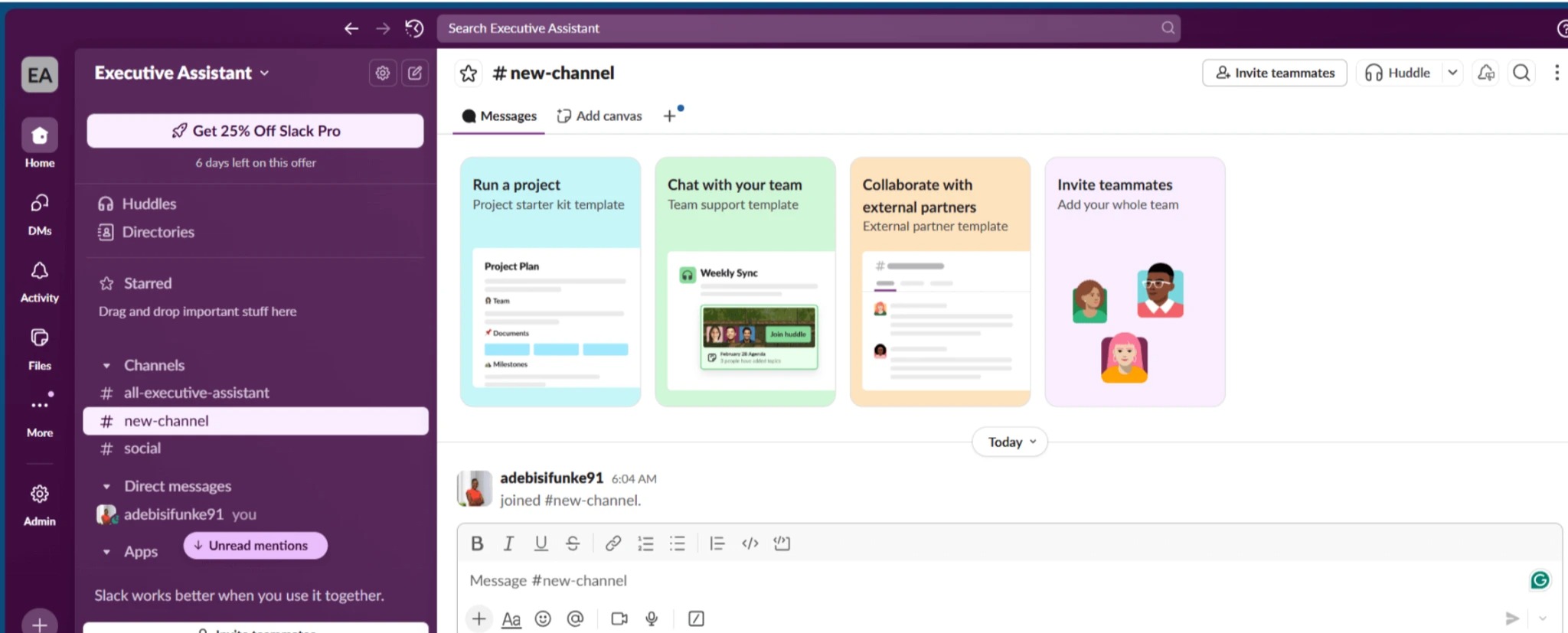
Slack is the go-to platform for organized communication, especially when working with freelancers or managing multiple client projects.
Why Founders Love It
- Channels make it easy to separate conversations
(e.g., #client-a, #marketing, #operations) - Faster and cleaner than email
- Integrates with everything — Asana, ClickUp, Google Drive, Zapier
- Voice notes, huddles, and quick file sharing
- Great for async work (no meetings needed)
Best Use Cases
- Working with VAs and contractors
- Keeping client communication separate
- Reducing long email chains
- Project updates and quick questions
2. Google Chat + Spaces (Best Free/Low-Cost Alternative to Slack)
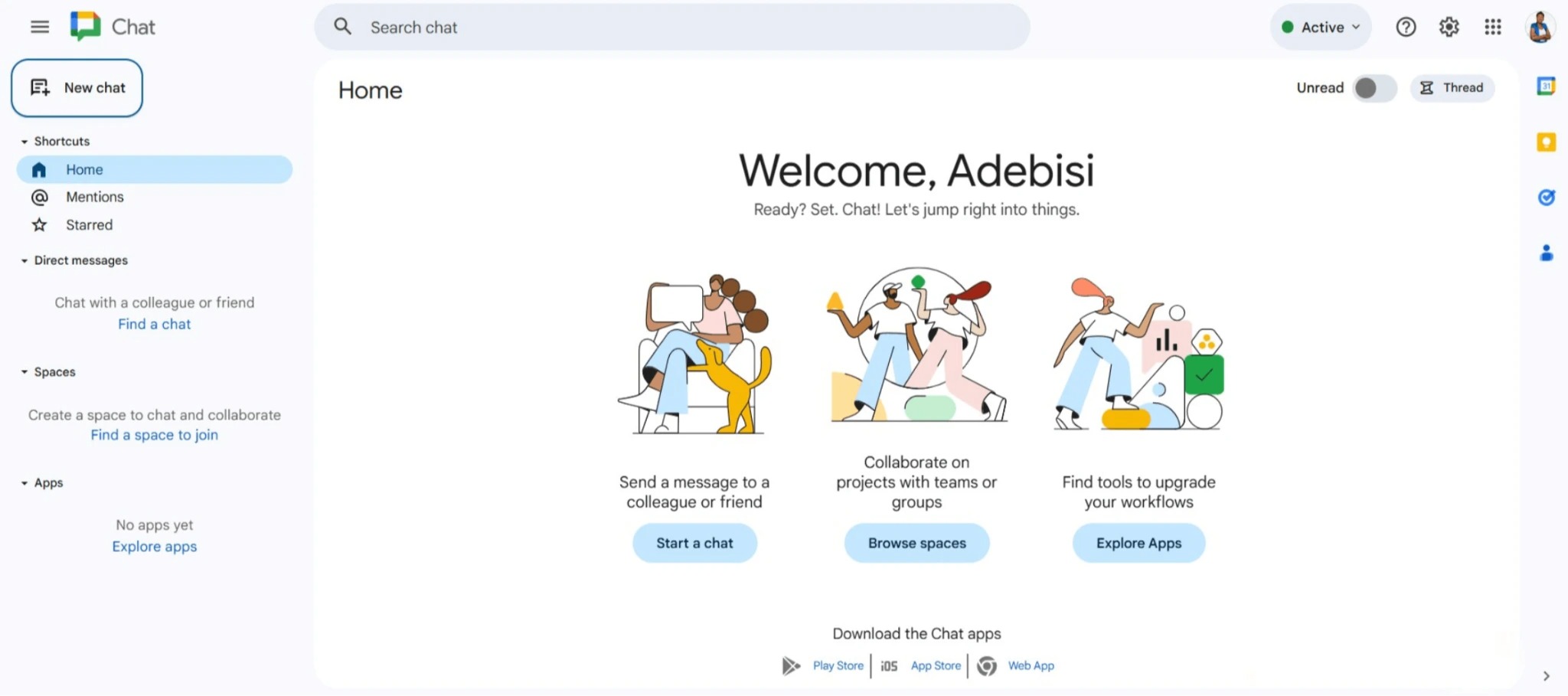
If Slack feels like “too much,” Google Chat and Spaces offer 80% of the functionality completely free.
Most bootstrapped founders already use Google Workspace, making it the most cost-efficient choice.
Why Founders Love It
- 100% free inside Google Workspace
- Integrated with Docs, Drive, Calendar, Meet
- Perfect for simple communication
- Spaces help organize team conversations
- Light-weight, minimal learning curve
Best Use Cases
- Tiny teams (1–3 people)
- Founders who prefer simplicity
- Messaging with occasional collaborators
- Quick file sharing and project discussions
3. Zoom / Google Meet (Best Free Video Meeting Tools)
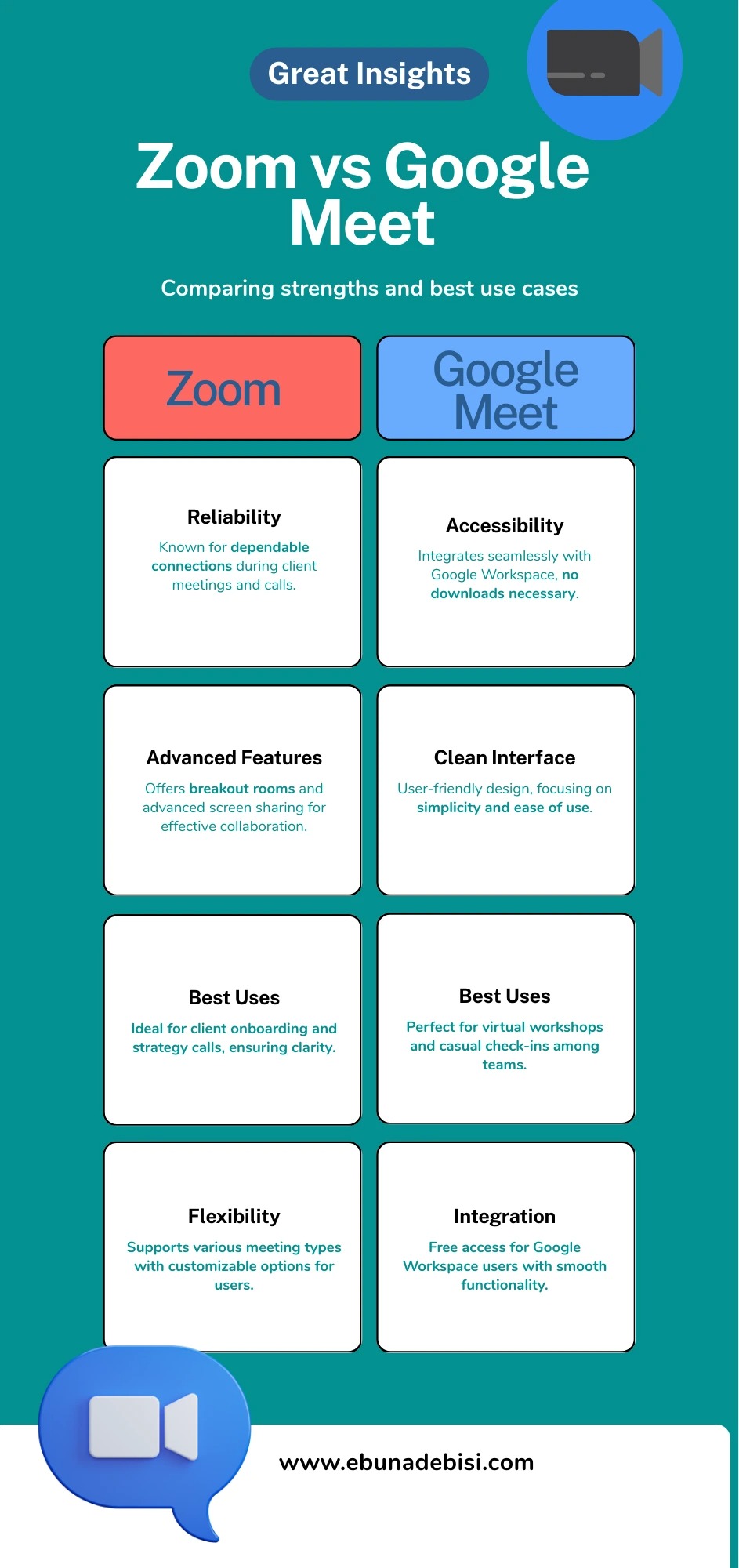
Some meetings could be emails… but sometimes you do need face-to-face communication.
Zoom and Google Meet remain the top free options that don’t stress your budget.
Why Founders Love Zoom
- Reliable for client meetings
- Screen sharing + annotations
- Breakout rooms for group coaching or team workshops
- Great for courses, demos, and onboarding
Why Founders Love Google Meet
- Completely free inside Google Workspace
- No software to download
- Clean interface + easy links
- Perfect for quick check-ins or onboarding calls
Best Use Cases
- Client onboarding + strategy calls
- Weekly VA check-ins
- Virtual workshops or coaching sessions
- Discovery calls + sales calls
- Project review meetings
File Storage & Document Tools
Best Free Cloud Storage Options
Even solo founders need organized storage for documents, assets, and client files.
The problem? Without a proper system, your Google Drive becomes a chaotic mess, Dropbox folders get out of control, and SOPs are scattered across random places.
These tools keep your business files:
- accessible from anywhere
- shareable with clients or contractors
- secure, with backup in the cloud
- easy to organize so you can actually find stuff
Here are the best free cloud storage and document tools for bootstrapping founders.
1. Google Drive (Best Free Storage + Collaboration)
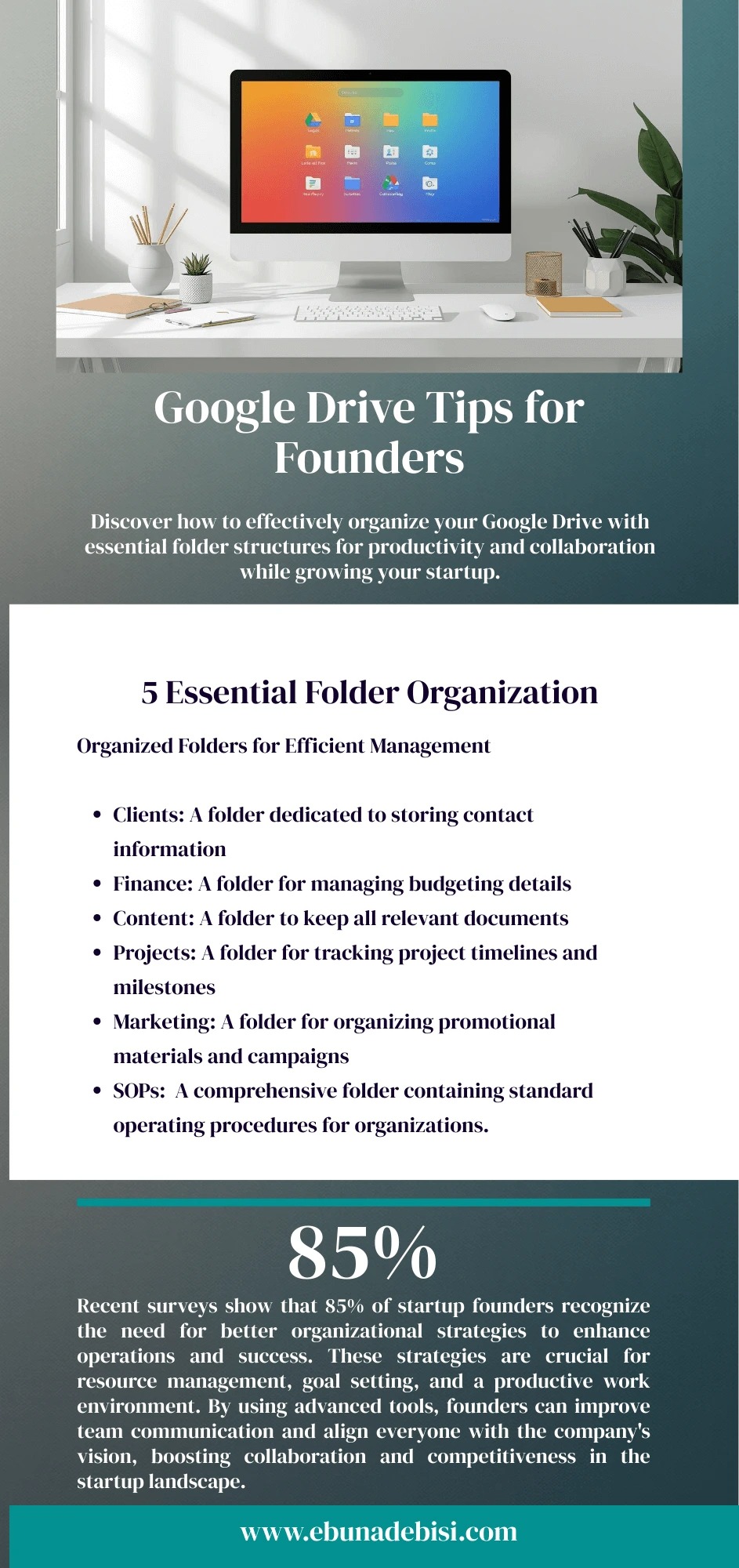
Google Drive is the go-to for most small business founders because it’s reliable, free, and works seamlessly with Gmail and Google Workspace.
Why Founders Love It
- 15 GB free storage
- Easy sharing & permissions
- Works with Docs, Sheets, Slides for collaboration
- Accessible from web and mobile
- Searchable and organized with folders and labels
Best Use Cases
- Storing SOPs, client files, invoices
- Collaborating with VAs/freelancers in real-time
- Sharing content drafts with clients or team members
- Linking files to project management tools
2. Dropbox Free (Simple File Sharing for Lean Teams)
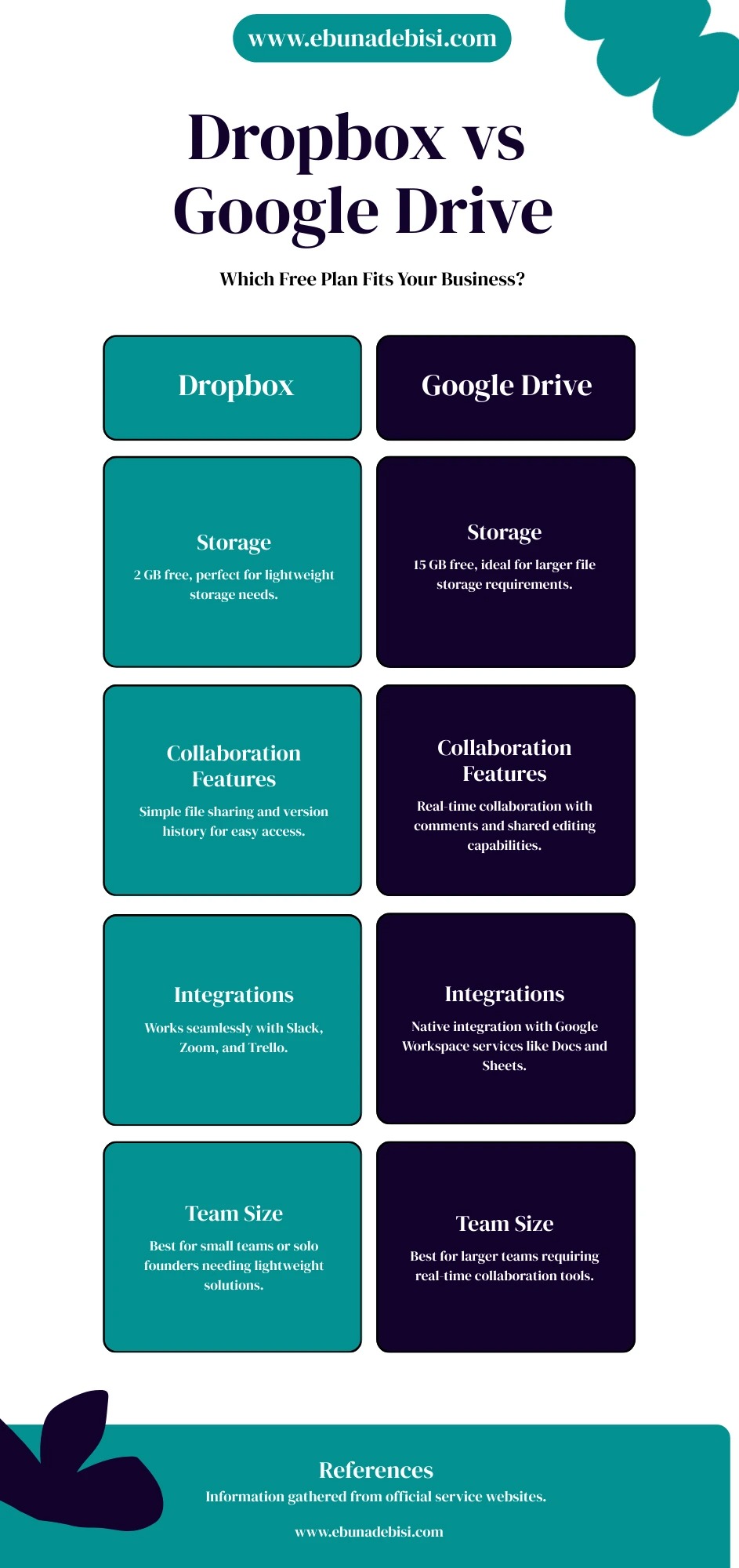
Dropbox is ideal if you want lightweight, easy-to-use file storage without overcomplication.
Why Founders Love It
- 2 GB free storage
- Drag-and-drop simplicity
- Easy sharing links with clients or contractors
- Syncs across devices automatically
- Good for file-heavy projects (images, PDFs, video assets)
Best Use Cases
- Sharing client deliverables
- Storing images or PDFs for content projects
- Quick collaboration with contractors who don’t use Google Workspace
3. Notion Docs (Free Knowledge Base + SOP Storage)
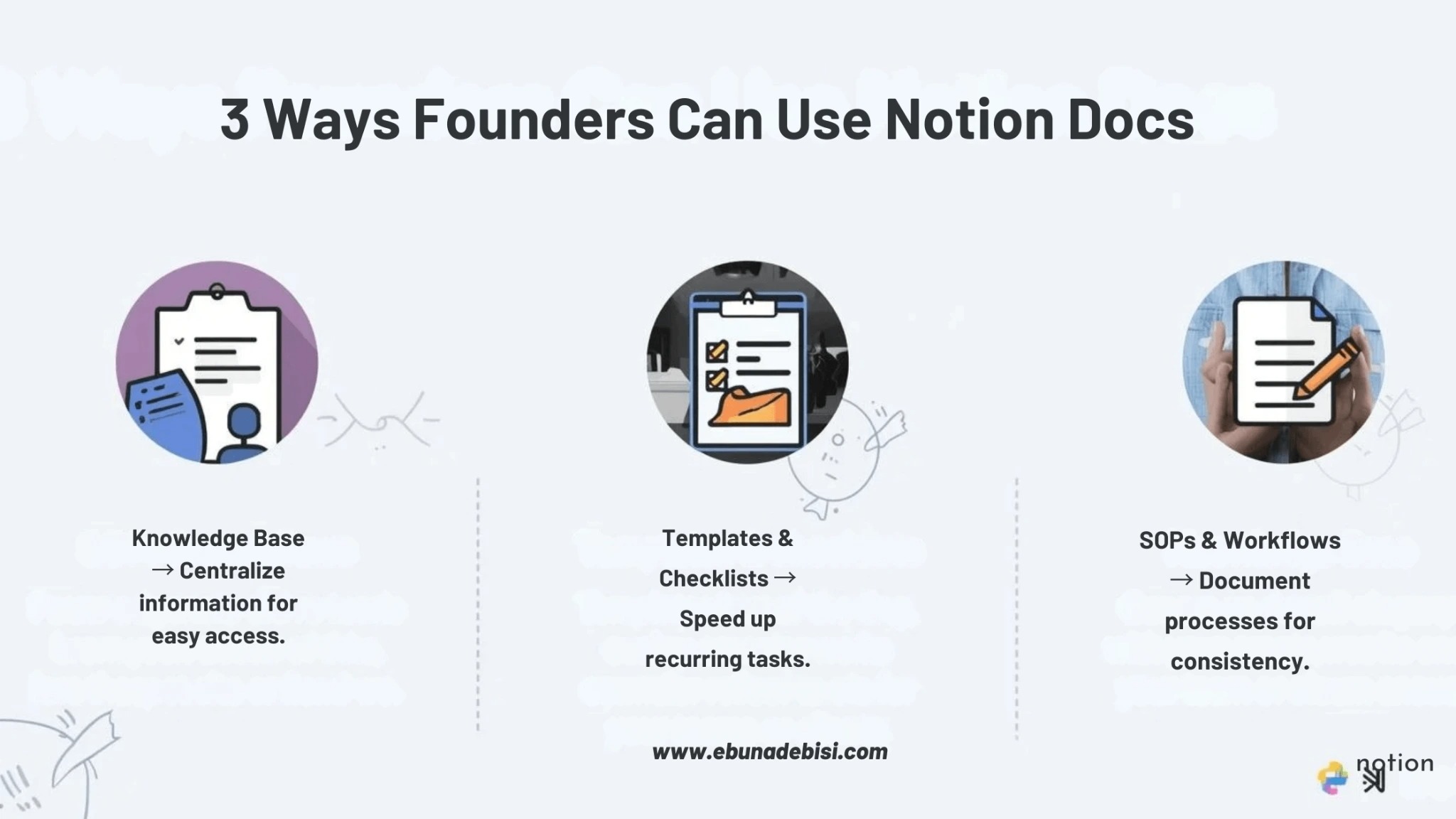
Notion isn’t just for tasks, it’s perfect for storing internal business knowledge, SOPs, and workflows in one searchable place.
Why Founders Love It
- Free for personal use
- Create wikis, SOPs, templates, checklists
- Easily share pages with contractors or clients
- Customizable with tables, boards, and databases
- Keeps your knowledge base centralized
Best Use Cases
- SOPs for onboarding VAs
- Client intake forms
- Internal checklists & workflows
- Content libraries for social media or marketing campaigns
Even on a budget, founders don’t need to sacrifice organization.
Google Drive gives collaboration and free storage, Dropbox keeps sharing simple, and Notion consolidates knowledge and SOPs.
Together, they form the foundation of your lean, organized, bootstrapped business.
Automation Tools (Free & Beginner-Friendly)
Workflow & Automation Tools for Bootstrapping Founders
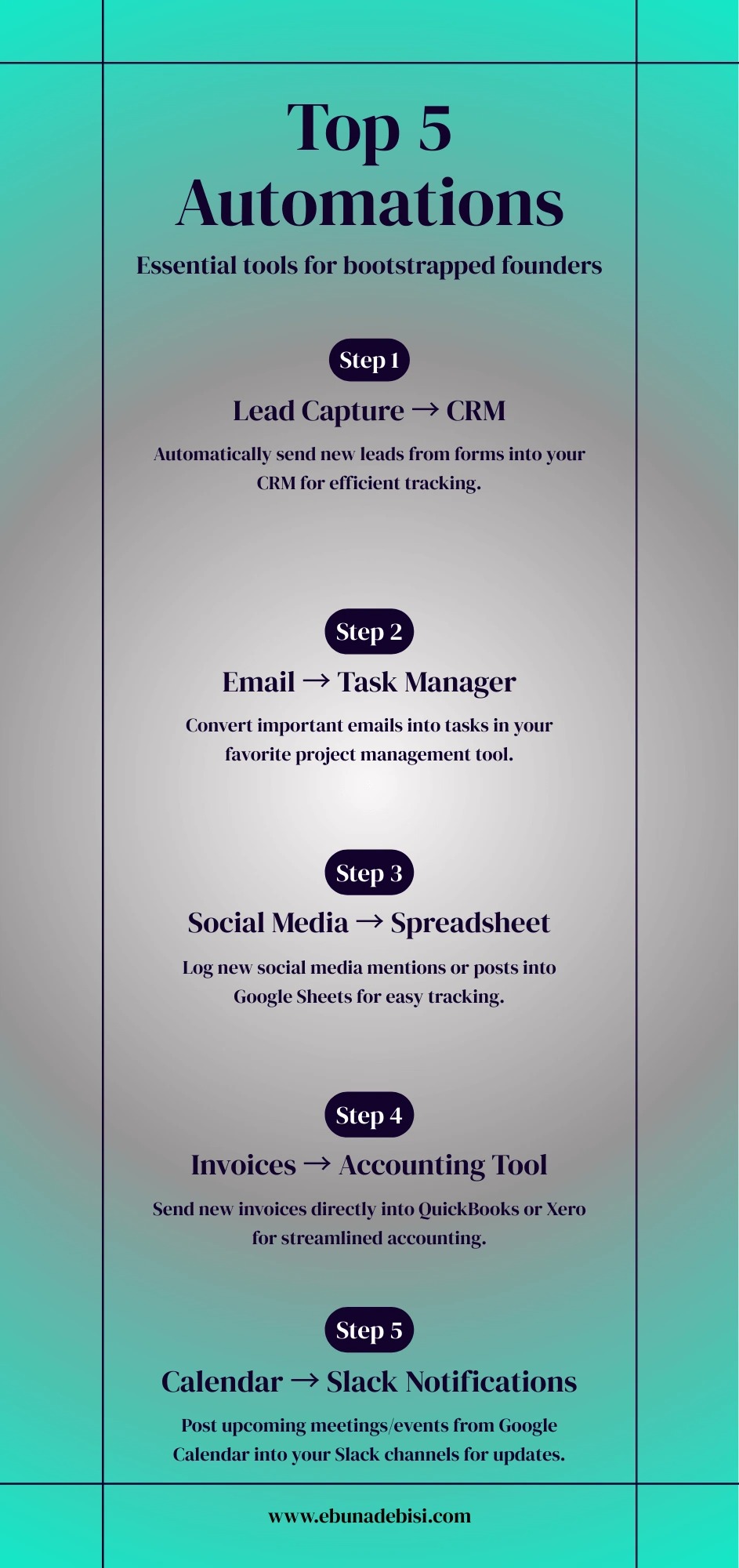
When you’re running a business solo or with a tiny team, automation isn’t a luxury—it’s survival.
The right automation tools help founders:
- Save hours every week
- Reduce mistakes in repetitive tasks
- Stay consistent with client delivery
- connect apps and systems without coding
Below are the most beginner-friendly free automation tools for online business owners.
1. Zapier (Free Tier)
Zapier is the most popular no-code automation tool for connecting apps and creating workflows.
Why Founders Love It
- Connects 5,000+ apps (Slack, Google Sheets, Trello, Gmail, Notion, ClickUp)
- Free plan includes 100 tasks per month
- Simple “If this, then that” automation builder
- Helps founders reduce admin work without coding
Best Use Cases
- Automatically add new leads to CRM
- Send form submissions to email or Slack
- Sync tasks between Trello, ClickUp, and Asana
Automate social media posting notifications
2. Make.com (Formerly Integromat)
Make.com is a powerful visual automation tool that lets founders create multi-step workflows with logic and conditions.
Why Founders Love It
- Free plan includes 1,000 operations/month
- Drag-and-drop scenario builder
- Multi-step and conditional workflows
- Visual mapping makes complex automations easier
Best Use Cases
- Automate client onboarding processes
- Sync data between forms, spreadsheets, and task managers
- Generate reports automatically
- Advanced automation for content pipelines
3. IFTTT (If This Then That)
IFTTT is perfect for micro-automations — simple triggers that save time across apps and devices.
Why Founders Love It
- Free plan is sufficient for small workflows
- Works with apps, devices, and social media
- Very easy to set up with premade applets
Best Use Cases
- Auto-post social media updates
- Save email attachments to Google Drive
- Receive notifications for important tasks
- Sync content across multiple platforms
4. Airtable Automations
Airtable is like a smart spreadsheet, and its automation feature lets you create workflows based on changes in your database.
Why Founders Love It
- Free plan includes 100 automation runs/month
- Automate notifications, emails, and task creation
- Works beautifully with content calendars, CRMs, and project pipelines
Best Use Cases
- Auto-create new client records
- Send reminder emails when deadlines approach
- Update project statuses automatically
- Connect databases to external apps via Zapier
For bootstrapped founders, automation tools are game changers.
Even on free plans, these tools reduce admin tasks, prevent errors, and free up hours so you can focus on growing your business.
Zapier, Make.com, and IFTTT handle cross-app automations, while ClickUp and Airtable let you automate within your existing workflows.
Time Management & Productivity Tools
Productivity Tools That Save Hours Weekly
As a bootstrapping founder and online business owner, time is your most valuable (and most limited) resource.
You’re not just running a business, you’re building systems, handling clients, marketing, fixing tech issues, and still trying to have a life outside your laptop.
These tools help you:
- understand where your time actually goes
- stay focused without burning out
- reduce distractions
- create realistic work rhythms
- Protect your energy
Here are the best free and budget-friendly time management tools every solo or lean founder should know about.
Clockify (Best Free Time Tracking Tool)
Clockify helps you understand how much time you’re actually spending on tasks — not how much you think you’re spending.
Why Founders Love It
- Completely free for unlimited users
- Tracks time by project, task, and client
- Reports help identify time drains
- Browser and desktop apps
Best Use Cases
- Tracking client work for billing
- Understanding where your time leaks are
- Improving pricing and workload planning
Toggl Track (Best for Simple, Distraction-Free Time Tracking)
Toggl is perfect if Clockify feels too detailed and you just want clean, simple tracking.
Why Founders Love It
- Clean, minimal design
- One-click timer
- Tag-based reporting
- Works on mobile and browsers
Best Use Cases
- Personal productivity tracking
- Solo founders who want simplicity
- Tracking deep work sessions
Sunsama (Affordable Daily Planning Tool)
Sunsama helps founders plan their day intentionally, not reactively.
Why Founders Love It
- Helps convert tasks into daily priorities
- Integrates with project management tools
- Focuses on realistic work planning
- Reduces burnout from unrealistic to-do lists
Best Use Cases
- Daily planning
- Reducing decision fatigue
- Creating healthier work boundaries
Pomodoro Tools (Best for Deep Focus & Burnout Prevention)
Pomodoro timers utilize focused work intervals (typically 25 minutes) followed by brief breaks.
Why Founders Love It
- Free and simple
- Improves focus
- Prevents mental fatigue
- Great for procrastination and overwhelm
Best Use Cases
- Deep work sessions
- Studying, writing, or coding
- Beating procrastination
Popular Free Pomodoro Tools
- Pomofocus
- TomatoTimer
- Forest
Bootstrapped founders and online business owners don’t need more hours in a day — they need better energy and focus management.
Clockify and Toggl help you track your time.
Sunsama helps you plan it intentionally.
Pomodoro tools help you protect your focus.
Together, these tools turn chaos into clarity.
Content Creation & Social Media Tools
Content Tools for Founders Without a Team
When you’re bootstrapping, you’re the marketing department, designer, video editor, and content strategist — all at once.
You don’t have time to learn complicated design software or hire a full team. These free and low-cost tools help you:
- create professional content quickly
- show up consistently online
- save money while looking credible
- reduce content creation overwhelm
Here are the best tools for founders building their brand alone.
Canva Free (Best Design Tool for Non-Designers)
Canva makes it possible to create beautiful graphics even if you have zero design background.
Why Founders Love It
- Free templates for social media, presentations, flyers, lead magnets
- Drag-and-drop interface
- Brand kit options
- Massive library of icons and stock elements
Best Use Cases
- Instagram posts
- Pinterest graphics
- Email headers
- Lead magnet designs
CapCut (Best Free Video Editing Tool)
CapCut allows you to create short-form videos for TikTok, Instagram Reels, and YouTube Shorts without advanced editing skills.
Why Founders Love It
- Completely free
- Beginner-friendly interface
- Built-in captions and effects
- Mobile + desktop versions
Best Use Cases
- Educational business videos
- Quick tips content
- Behind-the-scenes brand storytelling
Buffer Free (Best Simple Social Media Scheduler)
Buffer helps you schedule posts so you don’t have to manually post every day.
Why Founders Love It
- Free plan available
- Simple scheduling calendar
- Works with major social platforms
- Easy interface for beginners
Best Use Cases
- Scheduling posts in batches
- Maintaining consistency
- Planning content ahead of time
Metricool Lite (Best for Social Media Analytics on a Budget)
Metricool helps founders understand what content works without expensive marketing software.
Why Founders Love It
- Free analytics
- Tracks engagement and growth
- Simple dashboards
Best Use Cases
- Monitoring post performance
- Tracking hashtag performance
- Planning better content strategies
Grammarly Free (Best Writing Assistant Tool)
Grammarly helps founders write clearer, more professional content without hiring an editor.
Why Founders Love It
- Free grammar and spelling checks
- Works across browsers and apps
- Improves tone and clarity
Best Use Cases
- Website copy
- Email writing
- Social media captions
- Blog drafting
You don’t need a big marketing team to look professional online.
With Canva, CapCut, Buffer, Metricool, and Grammarly, you can create, schedule, and optimize your content, even while bootstrapping and working lean.
Recommended Tool Stacks (Choose Based on Your Business Type)
The Best Tool Stack for Your Business Model
Most bootstrapping founders fail not because they’re lazy, but because they’re overwhelmed.
You open 10 tabs.
You try 5 tools.
You save 20 YouTube tutorials.
And still feel stuck.
You don’t need all the tools.
You need the right combination based on how your business actually runs.
Below are founder-tested tool stacks depending on your business model — simple, affordable, and scalable.
For Coaches & Consultants
If your business revolves around 1:1 calls, packages, and client deliverables, your focus should be simplicity and structure.
Recommended Tool Stack
- Project Management: ClickUp or Trello
- Scheduling: Calendly (free plan)
- File Storage: Google Drive
- Communication: Zoom or Google Meet
- Email Marketing: MailerLite
Why This Stack Works
- Keeps clients organized
- Reduces missed sessions
- Makes follow-ups easier
Estimated Monthly Cost
$0 – $25
How a VA Helps
A Virtual Assistant can:
- Set up your client dashboards
- Organize session notes
- Automate booking confirmations
For Online Service Providers (VAs, Social Media Managers, Designers)
Your business runs on deadlines, deliverables, and client communication.
Recommended Tool Stack
- Project Management: ClickUp or Asana
- File Storage: Google Drive or Dropbox
- Time Tracking: Clockify
- Communication: Slack or Google Chat
- Content Tools: Canva + Grammarly
Why This Stack Works
- Tracks client work clearly
- Protects your time
- Keeps deliverables organized
Estimated Monthly Cost
$0 – $40
How a VA Helps
VAs can create:
- client onboarding systems
- content calendars
- task automation
For Digital Product Creators (Courses, Ebooks, Memberships)
Your focus is on building once and selling repeatedly.
Recommended Tool Stack
- Content Planning: Notion or ClickUp
- File Storage: Google Drive
- Email Marketing: ConvertKit or MailerLite
- Automation: Zapier
- Design: Canva
Why This Stack Works
- Organizes product launches
- Automates customer journeys
- Reduces manual work
Estimated Monthly Cost
$0 – $35
How a VA Helps
A VA can:
- set up funnels
- upload content
- manage automation flows
For E-commerce Founders
You’re dealing with orders, inventory, customer service, and marketing at the same time.
Recommended Tool Stack
- Project Management: ClickUp
- CRM/Customer: HubSpot Free
- File Storage: Google Drive
- Communication: Slack
- Automation: Make.com or Zapier
Why This Stack Works
- Keeps orders and support organized
- Helps track customer journeys
- Improves response times
Estimated Monthly Cost
$0 – $40
How a VA Helps
A VA can:
- manage customer inbox
- track orders
- automate fulfilment workflows
For Agencies or Multi-Contractor Teams
Multiple people. Multiple clients. Increased chaos — unless your systems are tight.
Recommended Tool Stack
- Project Management: ClickUp or Asana
- Communication: Slack
- File Storage: Google Drive
- Time Tracking: Clockify
- Automation: Zapier
Why This Stack Works
- Keeps contractors accountable
- Tracks work and deadlines
- Reduces client delivery errors
Estimated Monthly Cost
$0 – $50 per month
How a VA Helps
A VA can:
- manage team dashboards
- assign tasks
- monitor deadlines
You don’t need a complicated tech stack.
You need one that matches how your business actually works.
Simple systems create clarity.
Clarity creates consistency.
Consistency creates growth.
You Don’t Need More Tools, You Need the Right Tools
If you’ve made it this far, one thing should feel clear:
You don’t need everything.
You don’t need expensive software.
You don’t need a big team.
You just need the right tools and the right systems.
Bootstrapping founders don’t fail because they lack talent. They burn out because they try to do everything manually for too long. The right project management, automation, communication, and productivity tools give you back what matters most — time, clarity, and control.
Your business should feel structured, not chaotic.
Focused, not overwhelming.
Intentional, not reactive.
And you don’t have to figure it all out alone.
Ready to Simplify Your Business Systems?
If you’re tired of juggling tools, feeling overwhelmed, or wasting time trying to “figure it out,” I can help.
✅ Set up your systems
✅ Optimize your workflows
✅ Eliminate busywork
Book a Strategy Call
Want more practical, founder-friendly systems content?

Supporting founders who juggle too much. I simplify operations, manage the details, and free up your time to focus on growth.
0 Comments Add a Comment?